
What is a digital guest guide?
It is the operating manual for the stay, seen from the guest’s perspective. A browser-based guide organizes information by property and stage of the journey. It does not replace messaging or support; it gives them one maintained reference.
A page opened from a link or QR code, designed around practical stay information.
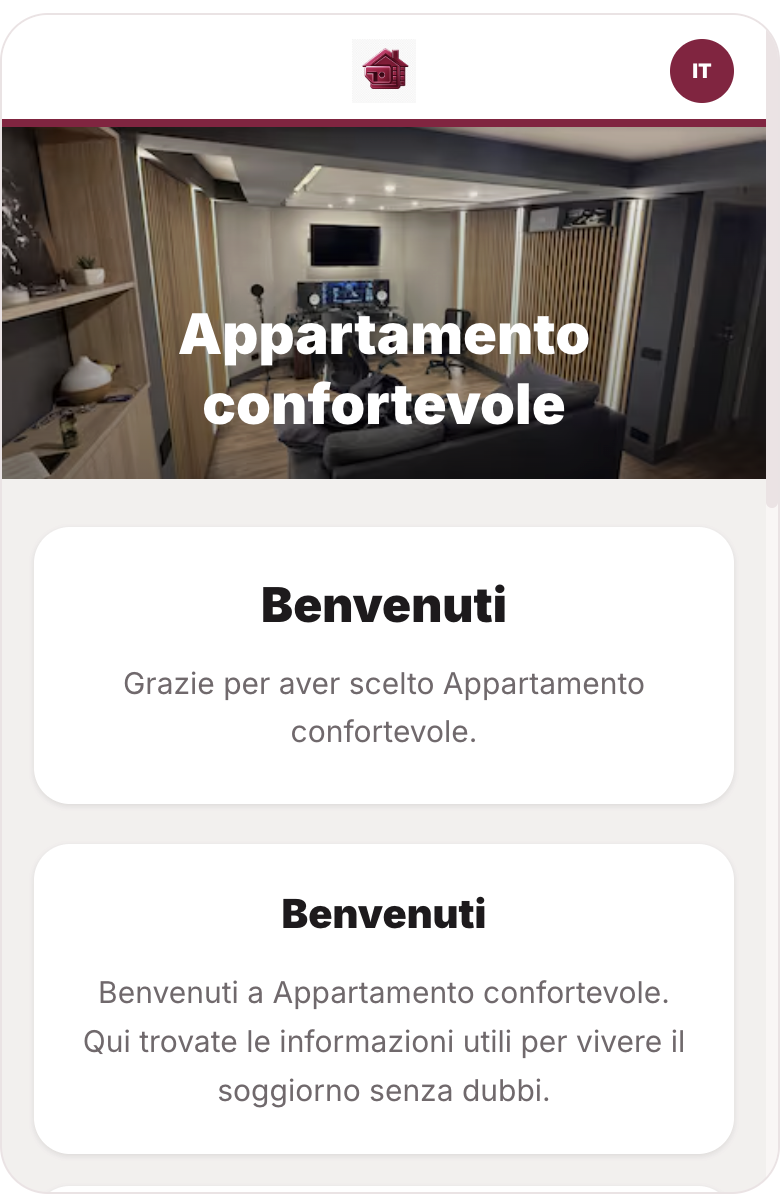
Guests open it on a phone, tablet or computer without a mandatory installation.
Contacts, content and instructions correspond to the accommodation that was booked.
The link works before arrival; the QR code is a convenient shortcut inside the property.
A correction is published without reprinting a binder or resending a PDF.
What should a vacation-rental guest guide include?
The clearest structure follows the guest journey. Each section should help complete an action and distinguish permanent property information from details that change for a specific stay.
Verified address, map, parking, transport, timing, required documents and a contact for delays.
Meeting point, route from the entrance, intercom and key instructions; codes only with suitable controls and timing.
Wi-Fi, climate, hot water, appliances, waste, amenities and house rules.
Emergency numbers, exits, first aid, detectors and what to do in case of a leak, outage or damage.
Correct contact channel, hours, urgency rules and the details needed to report a useful issue.
Pharmacy, groceries, transport and selected local recommendations that are actually maintained.
Time, keys, waste, dishes, lights, climate, luggage and how to report a problem before departure.
A direct contact or booking path can appear without obstructing essential stay information.
Web page, PDF, app or messages: which format works?
Each format solves a different part of the problem. A web guide works best as the central source, while scheduled messages and on-site QR codes bring guests to the right content at the right time.
Mobile and updatable; requires appropriate access controls and a fallback for poor connectivity.
Easy to start, but often long, stale and awkward to navigate on a phone.
May offer advanced features but adds installation and sign-in for a short stay.
Excellent for timing and reminders, but poor as a complete library of instructions.
Still useful for emergencies and essentials if it remains consistent with the digital version.
When to send the link and when to display the QR code.
Sending everything immediately can expose information too early; sending it late creates questions. Access should follow the booking state.
After confirmation
Share general location, trip preparation, main rules and non-sensitive information.
Before arrival
Reveal operational instructions once the booking, identity and applicable conditions have been checked.
During the stay
The link and QR become the reference for property use, support, safety and the local area.
Before departure
Highlight checkout and ask guests to report issues before the field team arrives.
After checkout
Disable stay-only details while public information and a direct contact may remain available.
Translation is not maintenance.
Languages improve the guest experience only when the underlying source is accurate. Automatically translating an outdated access instruction multiplies the error.
- Define one source language and a responsible editor for each property.
- Set review dates for access, Wi-Fi, parking, contacts, appliances and rules.
- Use short sentences, understandable measurements and names that match what the guest sees.
- Review security-sensitive and emergency instructions manually in every language.
- Remove expired seasonal content and local recommendations that have closed.
What should never be published in an open guest guide?
An obscure URL is not sufficient access control. Separate public content, information visible to a verified guest during the stay, and notes that remain internal to the team.
Area information, general rules, amenities, commercial contacts and non-sensitive recommendations.
Entry instructions, key location, temporary codes and reservation-specific details.
Master codes, credentials, guest notes, internal procedures and private security information.
Temporary access and stay-only content should expire when the stay or authorization ends.
Checklist for choosing digital guest-guide software.
A useful demo should show a real guide on a phone, edit one instruction and demonstrate what the guest sees before, during and after the stay.
Can a guest open the guide from a browser without a mandatory account?
Can common content be reused without mixing property-specific access and instructions?
How are translations reviewed and updated after source content changes?
Can codes and private details appear only to the correct people and during the right dates?
Do reservation, property and scheduled messages use the same source or require copy and paste?
Can you learn which sections help guests without unnecessary tracking?
Can you recover text, media and translations when changing supplier?
How the guide fits the PMSLY product model.
PMSLY is in pre-launch. The direction is to use the property record as a controlled source for the guide, inbox and staff, with public and private content kept separate. The mobile screen is a prototype; access rules, translations and automations still require beta validation.
One property source
Amenities, instructions and rules are maintained once and reused only in authorized contexts.
Stay context
The link can depend on the property, reservation and stage of the guest journey.
Issue to task
A useful guest report can reach the team with the property and stay already attached.
The visible interface is a prototype. PMSLY does not yet claim live temporary access, automatic translation or production analytics.
Frequently asked questions
Is a digital guest guide the same as a welcome book?
The terms overlap. A welcome book may be printed or delivered as a PDF; a digital guest guide usually means an updatable web page or web app available through a link or QR code.
Do guests need to download an app?
Not necessarily. A browser-based guide avoids installation and account friction for a short stay.
Should I use a link or QR code?
Both. Send the link before arrival and use the QR code inside the property. Entry instructions should not depend on a QR that guests can only reach after entering.
How should door codes be handled?
Do not publish them on an open page. Use authenticated or time-limited access, correct dates, restricted permissions and a revocation process.
Should the guide be multilingual?
Yes for international guests, once the source is accurate and maintained. Review safety-sensitive instructions after translation.
Does it replace messages and guest support?
No. Messages deliver the right prompt at the right time; support handles exceptions and problems that a guide cannot anticipate.